

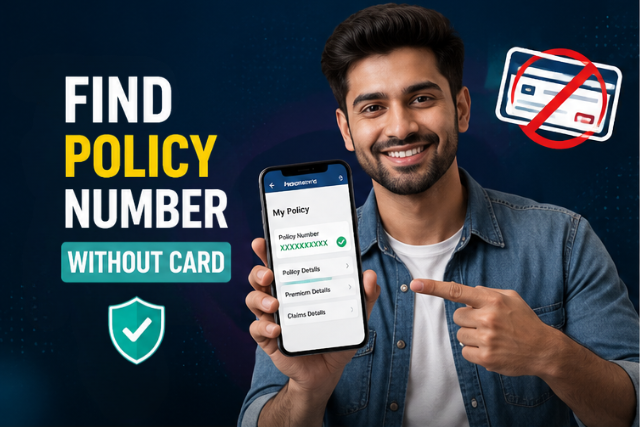
Quick Answer – How to Find Your Insurance Policy Number Without a Card?
Here are the fastest ways to find your health insurance policy number without a physical card:
- Log in to your insurer’s online member portal or mobile app
- Check your Explanation of Benefits (EOB) letter or email
- Look at your original enrollment confirmation or welcome letter
- Search your email for the insurance plan confirmation
- Contact your HR department (if covered through work)
- Call your insurer’s customer service number directly
- Ask your doctor’s office or pharmacy — they can often look it up
How to find insurance policy number without card is something a lot of people Google in a mild panic — usually right before a doctor’s appointment or at the pharmacy when they realize their wallet is missing that one little card. It’s a common situation that many policyholders experience. The good news: your health insurance policy number isn’t locked away on that piece of plastic. It lives in multiple places, and at least two or three of them are accessible right now from your phone.
Whether you’ve lost your insurance card, never received one, or just started a new job and your card hasn’t arrived yet — this guide walks through every way to track down your insurance policy number, step by step. If you’re trying to locate the number printed on your insurance card instead, check our guide on finding a policy number on an insurance card.
Why You Might Need Your Policy Number Without the Card?
There are plenty of situations where you might need your policy number but don’t have your insurance card with you. Maybe you just switched jobs and your new health plan card hasn’t arrived. Maybe you put your wallet somewhere “safe” and now can’t remember where. Maybe you’re a new enrollee trying to book an appointment before your physical member ID card shows up in the mail.
All of these are completely normal situations. If you’re trying to Find Your Insurance Policy Number Without a Card, your insurance policy number still exists—it’s just stored somewhere other than your wallet.
7 Ways to Find Your Insurance Policy Number Without a Card
Don’t have your insurance card? You can still find your insurance policy number without a card in several simple ways. From your insurer’s online portal and mobile app to your HR department and customer service, these seven methods can help you access your policy details quickly.
| Method | Time Required | Best For |
|---|---|---|
| Member Portal | 2 minutes | Existing members |
| Mobile App | 1 minute | Smartphone users |
| EOB | 5 minutes | Previous patients |
| Email Search | 3 minutes | New enrollees |
| HR Department | 5 minutes | Employer insurance |
| Customer Service | 10 minutes | Lost account access |
| Doctor/Pharmacy | Immediate | During appointment |
1. Log In to Your Insurer’s Online Member Portal
If you want to Find Your Insurance Policy Number Without a Card, logging into your insurer’s online member portal is usually the fastest and most reliable method. Every major health insurance company in the US — UnitedHealthcare, Blue Cross Blue Shield, Aetna, Cigna, Humana — has an online member portal where you can access your digital ID card and see all your insurance information in one place.
Your insurance policy number (often labeled as your Member ID or subscriber ID) will be clearly displayed once you’re logged in, usually right on your profile page or under a “My Plan” or “ID Card” section.
How to access by insurer:
- UnitedHealthcare: Go to myuhc.com → sign in → click “ID Card” or “My Coverage.” Your member ID numbers and group number appear on your digital card.
- Blue Cross Blue Shield: Go to bcbs.com → use the “Find My Plan” tool to locate your state’s BCBS portal → sign in → find your digital member ID card. Each state has its own login (e.g., BCBS Illinois, BCBS NC).
- Aetna: Log in at aetna.com → Member Portal → ID Card section.
- Cigna: Log in at cigna.com → myCigna → View ID Card.
- Healthcare.gov (Marketplace plans): Log in to your account → “My Plans and Programs” — your 14-character Plan ID is listed there.
2. Use Your Insurer’s Mobile App
If you have your insurer’s app installed, this is even faster than the website. The UnitedHealthcare app (also called the UHC app), the BCBS mobile app, and similar tools from Aetna and Cigna all display your digital ID card the moment you open them — no hunting required.
Your insurance policy number, group number, and plan benefits summary are typically right on the home screen or one tap away. You can also screenshot or download the digital card directly to your phone’s wallet, so it’s always accessible even without internet.
Tip: The UHC app lets you save your digital ID card to Apple Wallet or Google Pay. Do this now, and you’ll never need to search for your member ID card again at the pharmacy.
3. Check Your Explanation of Benefits (EOB)
Use your health insurance one time – just once – to see your doctor, run some tests, and get a prescription, and you’ll have received an Explanation of Benefits (EOB). Every time your insurer processes a claim, they send an Explanation of Benefits (EOB). This document usually includes your member ID, claim details, and payment summary.
Your insurance policy number — or member ID — is printed right on every EOB. Check your physical mail, your email inbox, or your insurer’s portal where past EOBs are stored digitally. This is important information that gets mailed to you after every claim, so if you’ve had any care at all, you have one somewhere. If your insurer requires prior authorization before certain treatments, it’s also helpful to understand what preauthorization means and how it affects your claims.
4. Search Your Email for Enrollment Confirmation
When you first enrolled in your health plan — whether through your employer’s open enrollment, directly on the insurer’s website, or through the ACA Marketplace — you received a confirmation email. That email almost always includes your subscriber IDs, group number, and other identification numbers tied to your account.
Search your email inbox for your insurer’s name (e.g., “UnitedHealthcare,” “Aetna,” “BCBS,” “Cigna”) or for terms like “enrollment confirmation,” “welcome to your plan,” or “member ID.” Your insurance policy number is usually right there in the email body or an attached PDF.
Also check: Your welcome letter or “member kit” — a physical packet mailed when you first enrolled. It always includes your insurance information, including your policy number, even before your card arrives.
5. Contact Your HR Department
If your health insurance is through your employer — which covers the majority of working Americans — your HR department has your complete insurance information on file. They can tell you your member ID, group number, and type of plan in about two minutes.
This is especially useful if you’re a new hire and your insurance card hasn’t arrived yet, or if you’re enrolled in a health plan that hasn’t sent you a physical card at all. HR typically has access to your insurer’s employer portal and can pull up your identification number instantly. Some HR systems like Gusto or Workday also display your member ID card details directly in your employee account — worth checking there first.
Lost your card or switching plans? USInsurance247.com has free guides to help you navigate your health insurance — no agent required.
6. Call Your Insurance Company’s Customer Service
Another reliable option is contacting your insurer directly. Every insurance company has a customer service line, and calling it is one of the most direct ways to get your insurance policy number. The representative will verify your identity — usually with your name, date of birth, address, and sometimes the last four digits of your Social Security Number — and then provide your member ID and any other important information you need.
Key customer service numbers (have ID ready):
- UnitedHealthcare member services: 1-866-801-4409 (general) or the number on your EOB
- Blue Cross Blue Shield: Find your state’s number at bcbs.com → “Find My Plan” → contact information for your local company
- Aetna member services: 1-800-872-3862
- Cigna customer service: 1-800-997-1654
- Humana: 1-800-448-6262
Always call the phone numbers listed on your insurer’s official website — not a third-party directory. If your insurer has already processed a medical claim, you can also learn how to check your health insurance claim status online.
7. Ask Your Doctor’s Office or Pharmacy
Here’s one most people don’t realize: your doctor’s office, clinic, hospital, or pharmacy can often look up your health insurance coverage directly using your personal details — no physical card needed. Many healthcare providers use real-time insurance eligibility verification systems that pull your coverage data from the insurer’s database using your name, date of birth, and sometimes your Social Security Number.
If you walk in without your insurance card, just tell the front desk your insurer’s name and your personal information. They’ll attempt to verify your coverage and retrieve your identification number on the spot. This is especially common at larger practices and hospital systems that have robust billing systems.
Note: Even if the provider can verify your health plan this way, it’s still a good idea to follow up and get your actual policy number for your own records — so you’re not dependent on a provider’s system each time.
Heads-up for new enrollees: If you just signed up for coverage and your card hasn’t arrived, your insurance policy number may still be processed in the insurer’s system — especially if you enrolled between January 1–15, when insurers process huge volumes of open enrollment. In this case, call customer service directly and ask for a temporary ID. Most major insurers can issue a digital temporary card immediately.
What Exactly is an Insurance Policy Number?
You can find your insurance policy number without a card. Your insurance policy number is a unique identifier that links you to your specific health insurance plan. Think of it as your personal key inside your insurer’s system. Every time a doctor’s office submits a claim, a pharmacy fills a prescription, or a hospital bills for your care — this is the number they use to pull up your coverage and verify your plan benefits.
On your physical insurance card, it’s typically labeled “Policy #,” “Policy ID,” “Member ID,” or sometimes just “ID.” Many people wonder: is the policy number the same as the Member ID? On most individual plans — yes, they’re the same. For family plans, the underlying policy number may be shared, while each person’s Member ID includes a unique suffix to distinguish dependents.
Your group number is separate — it identifies your employer’s plan, not you personally. If you have employer-sponsored health insurance, both numbers appear on your card. If you bought your own insurance plan directly (through Healthcare.gov or an insurer’s website), you may not have a group number at all, and that’s completely normal.
What’s the Difference — Policy Number, Member ID, and Group Number?
Although these terms are often used interchangeably, they each serve a different purpose. Understanding the difference between your policy number, member ID, and group number can help you complete medical forms accurately and avoid delays when verifying your health insurance coverage.
| Term | What It Identifies | Where to Find It (Without Card) |
| Policy Number / Policy ID | Your specific coverage enrollment — the primary identification number for your health plan | Member portal, app, EOB, welcome letter, email confirmation |
| Member ID | Your personal record within the insurer’s system — often the same as the policy number | Member portal, app, EOB, HR department |
| Subscriber ID | The primary account holder’s ID — relevant when a dependent is using the plan | Member portal, EOB, customer service |
| Group Number | Identifies your employer’s insurance plan — not individual-specific | HR department, member portal, enrollment confirmation email |
What to Do If You’ve Never Received a Card
If you recently enrolled in a new health plan and your physical member ID card never showed up, you’re not without options. First, log in to your insurer’s portal or app — in 2026, most insurers issue a digital ID card immediately upon enrollment, even before the physical card ships. You can view, download, save to your phone’s wallet, or email this digital card to yourself or a provider.
If you’re a Blue Cross Blue Shield member, go to bcbs.com and use the “Find My Plan” tool to land on your state’s BCBS site. From there, register or log in to access your digital ID card. For UHC members, the UHC app or myuhc.com provides instant access. If you enrolled through your employer, please contact your HR team — they can confirm your enrollment status and pull your member ID from the employer portal.
Pro tip: Once you find your policy number, save a screenshot of your digital insurance card to your phone’s camera roll AND add it to Apple Wallet or Google Pay. Saving a digital copy ensures your policy details are always available whenever you need medical care.
Final Word
Losing your insurance card — or never getting one in the first place — is frustrating, but it doesn’t mean you’re stuck. Your health insurance policy number lives in your member portal, your app, your email inbox, and your EOB letters. It’s also one phone call away from customer service, or a quick chat with your HR team if you have employer-sponsored coverage.
The single best thing you can do right now — even before you need it — is log in to your insurer’s app, pull up your digital member ID card, and save it to your phone. It’s the kind of 30-second habit that saves you a real headache when you’re standing at a pharmacy counter at 7 pm trying to fill a prescription.
Frequently Asked Questions (FAQs)
How to find my health insurance policy number without a card?
Log in to your insurer’s app or member portal — this is the fastest way. You can also check an Explanation of Benefits letter, your enrollment confirmation email, or call customer service directly. If your coverage is employer-based, your HR department can retrieve it in minutes.
Is the policy number the same as the Member ID?
On most individual health insurance plans, yes — they’re the same number. On family health plans, the base policy number may be shared, but each family member has their own member ID with a unique suffix. When in doubt, give both to your provider or call customer service to confirm which one they need.
How do I find my BCBS member ID without my card?
Go to bcbs.com and use the “Find My Plan” tool to reach your state’s Blue Cross Blue Shield member portal. Log in and navigate to your profile or ID Card section. Your member ID card details — including your subscriber IDs and group number — will be there. You can also call your local BCBS customer service number after verifying your identity.
Can I go to the doctor without my insurance card?
Yes. Tell the front desk your insurance company name and provide your personal details. Most provider offices can verify your health insurance eligibility electronically using your name, date of birth, and sometimes your Social Security Number. They can pull up your member ID and coverage details through their billing system — no physical card required.
What information do I need to get my policy number over the phone?
When you call your insurer’s customer service number, have ready: your full legal name, date of birth, home address, and the last four digits of your Social Security Number. If you have employer coverage, knowing your employer’s name helps too. The rep will verify your identity and provide your insurance policy number and other important information.
What if my insurance is new and no card has arrived yet?
Log in to your insurer’s portal or app — most issue a digital ID card instantly upon enrollment, before the physical card ships. If you can’t log in yet, call customer service to confirm your enrollment status and request a temporary card. If coverage is through work, please contact your HR team — they can pull your member ID directly from the employer portal.
Can I use my digital insurance card instead of a physical card?
Yes. Most hospitals, clinics, and pharmacies accept digital insurance cards displayed through your insurer’s mobile app or online member portal. In many cases, a screenshot or saved PDF is also accepted, although it’s best to confirm with your healthcare provider beforehand.
Disclaimer: This article is for general informational purposes only and does not constitute insurance advice. Contact your insurance company directly for plan-specific details. Phone numbers listed are for reference only and subject to change — always verify on your insurer’s official website.
Reviewed by Health Insurance Experts
This article has been reviewed by our editorial team to ensure it is accurate, up-to-date, and easy to understand. We verify insurance information using trusted industry sources and current healthcare guidelines.