

Written by the USInsurance247 Content Team | Reviewed by Rohit Negi, Insurance Expert, USInsurance247.com | Last updated: August 2026
Quick Answer
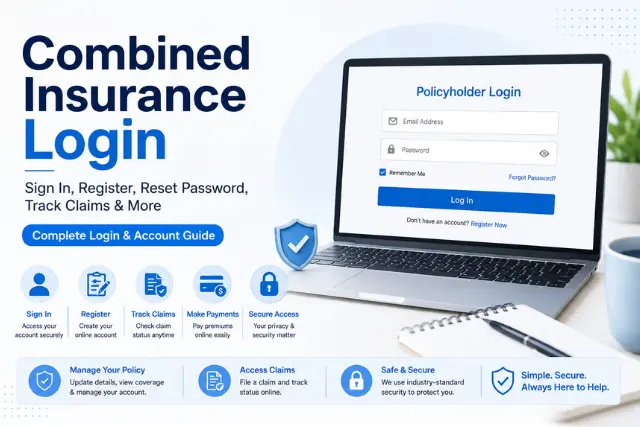
Go to my.combinedinsurance.com to access the online portal and log in to your account. Combined Insurance login page After logging into Combined’s policyholder portal, you will have access to policy details, policy documents, the payment options to pay your policy, and a status update on your policy claims. For any issues in login, there are several options for password resets: Using the password reset function at Combined’s online portal, or Calling the Combined customer service phone line to initiate an immediate resolution.
If you’re searching for Combined Insurance login information, you may come across different portals for individual policyholders, workplace benefits, agents, or other users. Choosing the correct portal depends on how your coverage is administered. Combined Insurance runs a few different sign-in doors depending on who you are and how you got your policy, and almost nobody explains that clearly upfront.
This guide explains which Combined Insurance login applies to you, how to sign in, register, reset your password, and troubleshoot common problems. If you’re comparing supplemental insurance providers, you can also read our Combined Insurance vs. Aflac comparison.
What is Combined Insurance Login?
Combined Insurance is a Chubb company that provides supplemental insurance products. Its online policyholder portal allows eligible customers to manage their policies, make payments, and access claim-related information online. Who actually uses it varies more than you’d guess:
- Individual policyholders who bought supplemental or accident coverage directly or through a sales representative.
- Accident insurance customers managing an active policy and its claims.
- Supplemental insurance customers, including critical illness and hospital indemnity plans.
- Employees with group workplace benefits — worth flagging that this group actually uses a separate Chubb Workplace Benefits portal, not the standard policyholder login, since their coverage is administered differently through their employer.
- Sales agents, who generally work through an internal Combined/Chubb back-office system rather than the same portal customers use.
How to Register for a Combined Insurance Online Account
If this is your first time setting up online access:
- Go to the registration page.
- Have your policy number ready before starting registration. If you have your insurance card, you can find your policy number on your insurance card.
- Enter the personal information and email address on file with your policy.
- Complete the verification step, typically a confirmation code sent to your email.
- Set your password and log in to your new account.
How to Log In to Your Combined Insurance Account
The official Combined Insurance Policyholder Center confirms that customers can access their account, manage policies, make payments, file claims and check claim status.
Here’s the standard my combined insurance login process for individual policyholders:
Step 1: Open the official Combined Insurance policyholder portal.
Step 2: Enter the email address associated with your account.
Step 3: Enter your password.
Step 4: Complete any additional verification requested by the portal.
Step 5: Select Log In to access your account.
Canadian policyholders should visit my.combinedinsurance.com/en-CA/login , a different login portal for Canadians; U.S. And Canadian logins aren’t compatible.
Before you log in, keep these details handy:
- Email address associated with your account
- Password
- Policy number, if needed
- Access to your phone or email for verification
- Stable internet connection
What Can You Do After Logging In?
| Feature | What You Can Do |
| View policy | Check your coverage details and terms |
| Pay bills | Make premium payments online |
| Download documents | Access policy PDFs and statements |
| Update profile | Change your address, phone number, or email |
| View payment history | Review past transactions |
| Track claims | Check current claim status |
| Manage beneficiaries | Update beneficiary details, where available on your policy type |
Forgot Your Password?
Dealing with a locked account or a password you can’t remember is one of the most common reasons people search for combined insurance login portal help in the first place:
- Reset password: Use the “Forgot Password” link on the login page, verify your identity, and set a new one.
- Recover username: A similar recovery flow is available if it’s your username, not password, that’s the issue.
- Locked account: Multiple failed attempts typically trigger a temporary lock — waiting a short period or contacting support directly resolves this.
- Verification issues: If a confirmation code isn’t arriving, double-check the email address on file is current before requesting another one.
Common Combined Insurance Login Problems
Incorrect Password
Use the password reset tool rather than guessing repeatedly, since repeated failed attempts can trigger an account lock.
Username Not Found
Confirm you’re using the exact email registered with your policy — a typo or an old email address is the most common cause here.
Verification Code Not Received
Check spam/junk folders first, then confirm your contact information on file is current before requesting a new code.
Browser Problems
Clear your browser’s cache and cookies, or try a different browser entirely — outdated cached login data is a frequent, easy-to-miss cause of login failures.
Mobile Login Issues
Both Android and iPhone browsers should work with the portal; if the mobile site behaves oddly, switching to desktop view in your browser settings often resolves display or button issues.
Website Not Working
This is usually one of a few things: scheduled maintenance, a temporary server outage, a browser-side issue, or an internet connectivity problem on your end. Trying again after 15–20 minutes rules out the first two.
How to Pay Your Combined Insurance Bill Online
- Log in to your policyholder account.
- Navigate to the billing or payments section.
- Choose your payment method — credit card, debit card, or bank account withdrawal.
- Set up AutoPay if you’d rather not manually pay each cycle.
How to File or Track an Insurance Claim
Whether you’re searching for a combined insurance claim status login, combined insurance claims login, or simply combined insurance login claims access, it’s all the same portal — claims live inside your standard policyholder account rather than a separate system:
- Log in to your account.
- Go to the claims section of the portal.
- Upload supporting documents, such as medical bills or itemized statements.
- View your current claim status directly from the dashboard.
Combined Insurance also accepts claims by mail or fax for those who prefer it, using the appropriate claim form for your policy type, sent to the Combined Insurance Claim Department. Processing timelines vary by claim type and documentation completeness, so submitting everything requested upfront is the biggest lever you have over how fast it moves.
Can You Access Combined Insurance on Mobile?
Yes — the policyholder portal works through your mobile browser without needing a separate download, so both the standard combined insurance login app-style experience and desktop access point to the same account. If a dedicated mobile app is available for your specific policy type, it will be linked from the official policyholder center; otherwise, the mobile browser experience covers the same core functions.
Tips to Keep Your Account Secure
- Use a strong, unique password rather than reusing one from another account.
- Enable multi-factor authentication if it’s offered on your account.
- Avoid logging in over public Wi-Fi where possible.
- Log out fully on shared or public devices rather than just closing the tab.
- Be cautious of emails or messages that ask for your password or direct you to an unfamiliar login page. When in doubt, open Combined Insurance’s official website directly rather than clicking a login link in an unexpected message.
Combined Insurance vs. Florida Combined Life
Combined Insurance and Florida Combined Life are different companies. Combined Insurance is a Chubb company that provides supplemental insurance products, while Florida Combined Life is associated with Florida Blue and focuses on dental insurance in Florida. If you’re looking for a Florida Combined Life login, don’t use the Combined Insurance policyholder portal.
Combined Insurance Agent Login
Agents may use a separate system from the customer-facing policyholder portal. If you’re a Combined Insurance agent and don’t have access to your agent account, contact your manager or the appropriate agent-support channel rather than attempting to register through the consumer portal.
When Should You Contact Combined Insurance Customer Support?
Combined Insurance is part of Chubb, and Chubb’s official customer-support page currently lists Combined’s U.S. support information and directs customers to the Combined client portal.
- Repeated login failures the standard fixes haven’t resolved.
- A locked account that password reset alone doesn’t clear.
- Payment processing issues or a declined transaction you don’t understand.
- Policy update requests that can’t be completed through the portal.
- Questions about an active claim’s status or required documentation.
- Any technical error that persists across browsers and devices.
Combined Insurance’s customer care line is available at 800-225-4500 (all U.S. states except New York) or 800-951-6206 for New York residents, typically Monday through Friday during business hours.
Final Thoughts
Combined Insurance’s online portal gives eligible policyholders a convenient way to manage their insurance account, make payments, and access claim information. The most important step is making sure you’re using the correct portal for your type of coverage.
If you can’t log in, start with the password or account-recovery options before contacting customer support. For account-specific issues, always verify the latest instructions and contact details through Combined Insurance’s official website
Frequently Asked Questions
How do I log in to Combined Insurance?
Visit my.combinedinsurance.com, enter your username or email and password, and complete any identity verification if prompted.
I forgot my password. What should I do?
Use the “Forgot Password” link on the login page, verify your identity, and set a new password through the reset flow.
How do I register for a combined insurance customer login?
Go to the registration page, enter your policy number and personal details on file, verify via the confirmation code sent to your email, and set your password.
Can I pay my bill without logging in?
Some insurers offer a guest pay option, but Combined Insurance’s standard process runs through the logged-in portal check your billing statement for any listed alternative payment methods if you’d rather not log in.
Why is my account locked?
Accounts typically lock after multiple failed login attempts as a security measure. Waiting briefly or contacting customer support directly can help resolve this faster than repeated retries.
How do I update my email address on file?
Log in to your account and navigate to your profile settings, where contact information including email and phone number can be updated directly.
Can I view my policy online?
Yes, full policy details, coverage terms, and downloadable documents are available once you’re logged in to the policyholder portal.
Is there a Combined Insurance mobile app?
The policyholder portal is accessible through any mobile browser. Check the official policyholder center for whether a dedicated app is available for your specific policy type.
How do I contact customer service?
Call 800-225-4500 for most U.S. states, or 800-951-6206 if you’re a New York resident, during standard business hours.
Is the login portal secure?
Yes, standard identity verification and password protections apply. Using a strong password and enabling multi-factor authentication where available further protects your account.
What’s the difference between combined insurance claims login and the regular policyholder login?
They’re the same portal — claims tracking is a feature within your standard policyholder account rather than a separate login system.
Is Combined Insurance the same as Florida Combined Life?
No. Combined Insurance is a Chubb company offering supplemental and accident insurance nationally. Florida Combined Life is an unrelated company affiliated with Florida Blue, focused on dental insurance in Florida. The similar names are coincidental.
How do healthcare providers access the Combined Insurance provider portal?
Provider access may use a separate system from the individual policyholder portal. Check your plan or provider documentation for the appropriate portal and login instructions.
About USInsurance247: USInsurance247 provides independent, plain-language guidance on U.S. insurance products, from auto and health coverage to supplemental and accident plans. This article reflects publicly available information from Combined Insurance’s official policyholder resources as of August 2026, and is updated periodically. It does not replace guidance from Combined Insurance directly, always verify account-specific details through the official portal or customer care line.